
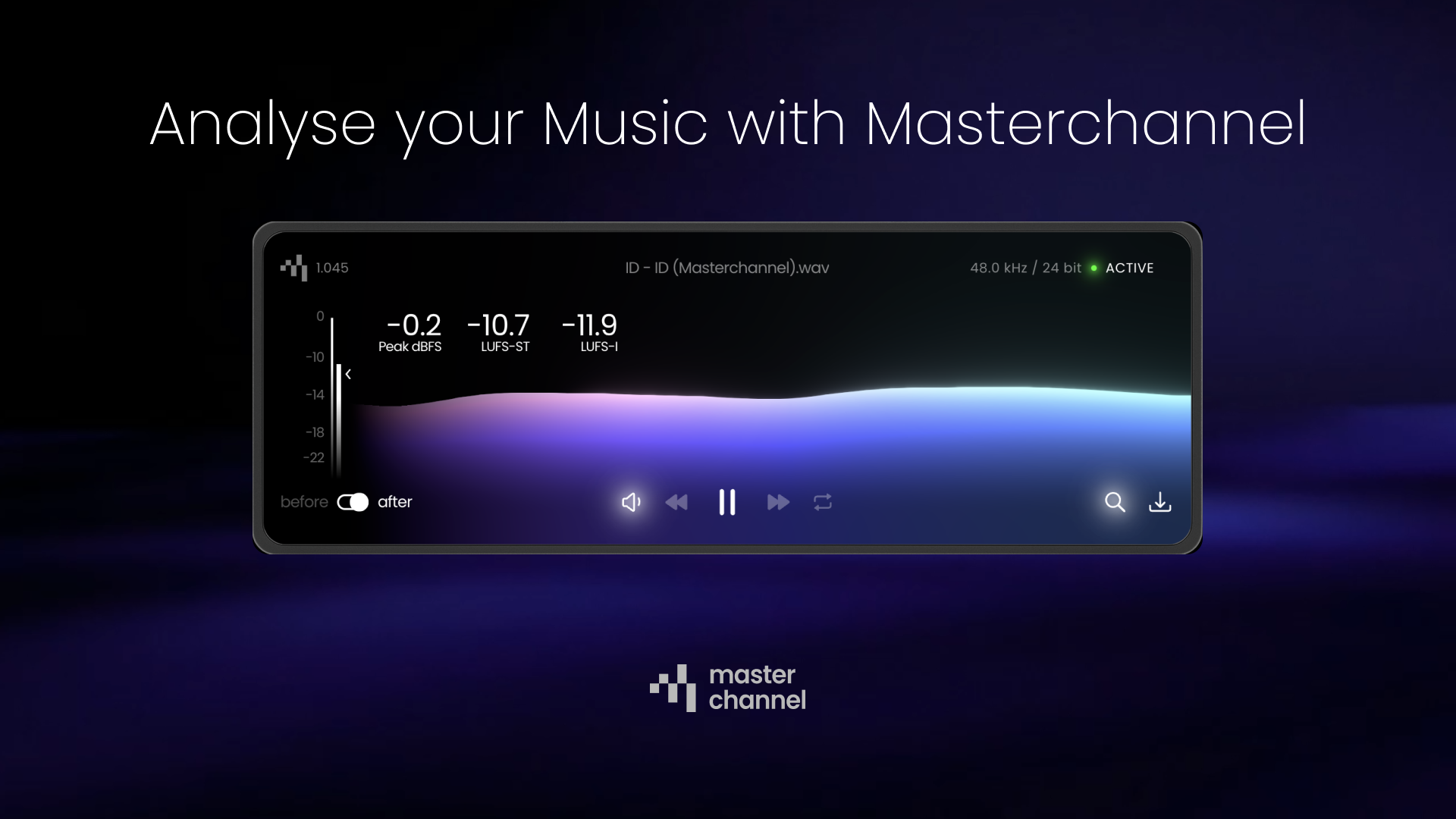
We just launched our new analysis feature for songs mastered with Masterchannel, to give you even more peace of mind that your music sound as good as it needs to do.

What is new?
In our new analysis feature we have added more information than previously available, especially when it comes to LUFS (Loudness Unites Full Scale). Here, we will break down the different points of information:
LUFS-I (LUFS Integrated)
LUFS Integrated measures the overall average loudness across the song. It is important not to chase a specific target number here, but rather to focus on the short-term LUFS level (LUFS-ST).
LUFS-ST (LUFS Short-Term)
LUFS Short-Term) indicates how loud a specific section of a track sounds to the listener at any given moment—for example, during a verse or the drop.
Peak dBFS
Peak dBFS measures the single loudest moment in your song and tells you how close it is to the maximum digital limit. This limit is 0, and audio above this level will cause what is typically known as clipping or distortion.
Loudness Meters
In addition to the numbers, we’ve also added two Meters to the left:
- The left Meter showcases decibel levels and is especially important to notice in the “before” version. If your song peaks above 0 dBFS, you should export it again. We have written an article here on how to best prepare your mix for mastering, which covers this essential step.
- The right Meter showcases your LUFS short-term levels and provides a dynamic view of how your loudness evolves throughout the song.
Should I chase a target LUFS-Level?
You’ve probably heard that your track should always sit at around -14 LUFS for platforms like Spotify. But is this actually true?
Spotify, and other streaming platforms, normalize and tracks to the same overall loudness level. This is done so the listener can smoothly switch between different songs without having to adjust the volume due to different LUFS-levels.
The Common Misconception
A common misconception is that songs that are louder before normalization will sound quieter after normalization on Spotify, and other streaming platforms. This is not true; it only means that songs that sounded louder before normalization will only sound as loud as quieter tracks after normalization. And with potentially flatter dynamics.
So it is important not to use this loudness level as your loudness target when you produce music.
How To Best Understand LUFS
In order to understand this, it’s important to distinguish between the short-term loudness of parts of your track, and the long-term overall loudness of your track:
- The short-term loudness indicates how loud a shorter section of a track sounds to the listener at the current moment in time
- The long-term loudness is a loudness average over a longer time period, often meaning the full song.

As an example, if you have a radio and extended version of your mix (as in this screenshot), you want the drop/chorus to have the same loudness and dynamics in both versions, due to them usually being identical.
However, due to the added sections of the extended mix, this might cause the overall averaged loudness of both tracks to be different.
- If you mix both the radio and extended version of your track so that the chorus sits at -10.5 LUFS, the integrated loudness of the radio version might be -14 LUFS, while the integrated loudness of the extended version is only -15.5 LUFS. This is completely fine and to be expected!
- What you shouldn’t do, on the other hand, is mix the extended track louder so it also has an integrated loudness of -14 LUFS. This will make the choruses of the extended track to be louder than the radio version, causing them to sound different.
This is a key reason to why mixing & mastering engineers usually don’t consider the overall loudness of a track, but instead look at the short-term loudness of the loudest part in a song. If that sits at around -9 to -11 LUFS, then your track usually has the dynamics your listeners are used to.
Two other things to consider, which makes it impossible and not advisable to blindly chase a specific number are:
- What kind of music you make also comes with a different set of expectations related to dynamics. An example is Hip Hop which is typically louder and more compressed than Jazz.
- Another thing to notice is that each streaming platform has their own set of rules, combines with settings that is made available to be adjusted by the users.
What You Should Do
If you want to check your loudness, look at the loudest parts of your track. Don’t chase an overall loudness target for your music, because it simply doesn’t make sense and results in worse-sounding releases.
If you’d like to master your songs and check the loudness levels yourself, click the button down below.